
What to do if the phone does not find the SIM card?
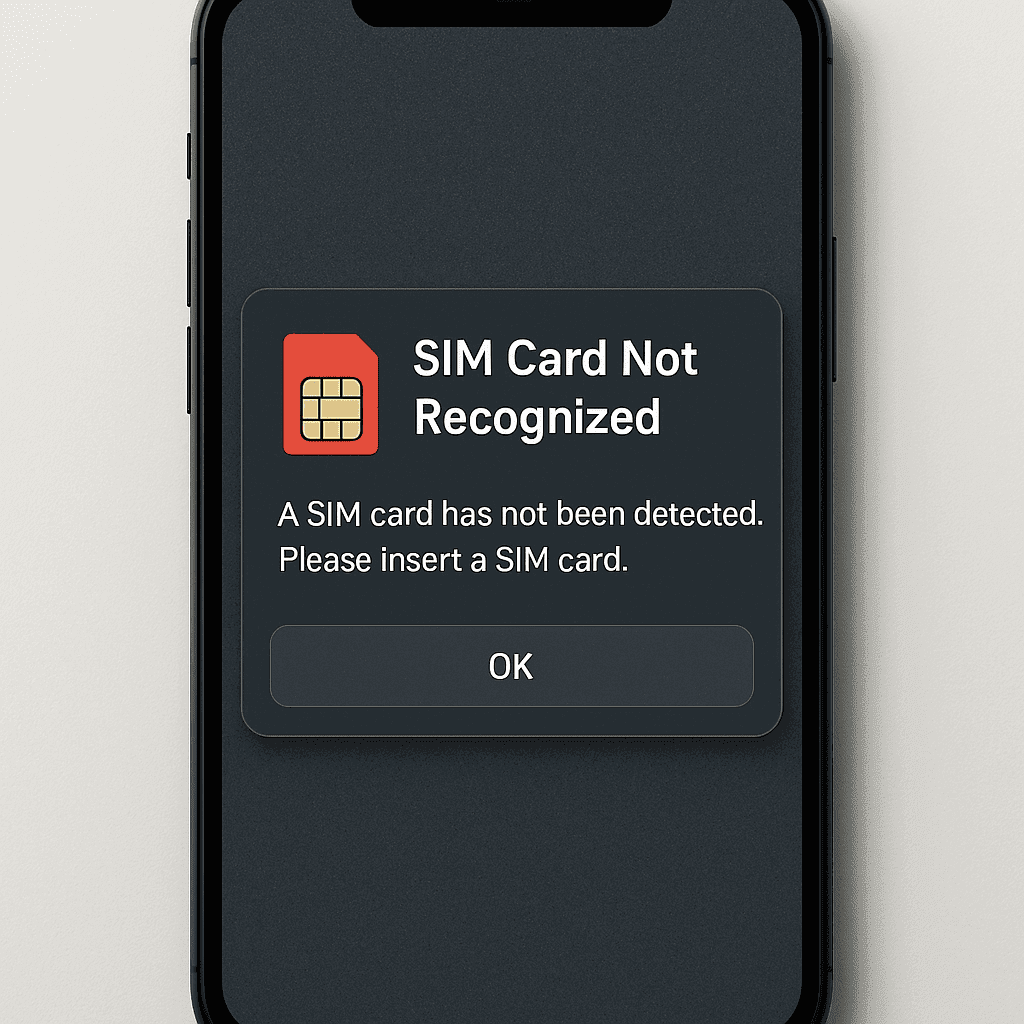
What to do if the phone does not find the SIM card? Suddenly you saw that your phone lost connection, the message "SIM card not detected" appeared, or you just see signal bars without the name of the operator? This is a common situation that worries many smartphone users. SIM card problems can occur for various reasons, both hardware failures and software
What to do if the phone does not find the SIM card?
Suddenly you saw that your phone lost connection, the message "SIM card not detected" appeared, or you just see signal bars without the name of the operator? This is a common situation that worries many smartphone users. SIM card problems can arise for various reasons - both hardware failures and software errors, operator settings or the SIM itself
In this detailed article, you will learn why the phone may not recognize the SIM card, learn how to eliminate the most common problems yourself, understand when it is worth contacting specialists, and gain knowledge on how to protect your mobile connection in the future.
The most common reasons why the phone does not find the SIM card
Before you start fixing the problem, it is important to understand why it occurs in the first place. The phone not being able to detect the SIM card can have various reasons, from simple to more complex.
Outdated or damaged SIM card
One of the most common reasons is the SIM card itself. Older SIM cards (especially those issued several years ago) may not support newer communication technologies. For example, as operators abandon 3G networks and switch to 4G/5G, old SIM cards may no longer work properly. Physical damage can also cause connection problems - scratches, bends or faded contacts are common
Dirt or dust
Even the slightest dirt on the SIM card contacts or in the slot can cause communication interference. Dust, moisture or oxidation (rust) often weakens the electrical contact between the card and the phone, preventing the device from reading it.
Incorrect SIM card insertion
This may sound elementary, but often the problem is very simple - the SIM card is inserted incorrectly. Modern phones use SIM cards of various sizes (standard, micro, nano), and the direction of their insertion is also important. An incorrectly inserted card may not be recognized.
Software problems
Errors in the phone's operating system, lack of updates or software conflicts sometimes prevent SIM detection. Intermittent system glitches or glitches can cause connectivity issues that disappear after a device reboot.
Network or operator problems
Sometimes the problem is not with your phone or SIM card, but with the operator's network. Temporary network outages, technical work or incorrect network settings can cause SIM card not detected problems, even though the device or card itself is fine.
Device compatibility issues
Not all phones are compatible with all SIM cards or communication technologies. For example, some older models may not support the latest eSIM cards, and newer devices may have issues with older physical SIM cards.
Security locks
Entered incorrect PIN or PUK codes, carrier lock (carrier lock) or other security mechanisms can block SIM card recognition. This is especially true when using the phone abroad or after purchasing a used device.
Evolution of device and SIM technologies
Mobile communication technologies are constantly evolving, and SIM card formats are changing with them. We are currently seeing a shift in the market from physical SIM cards to eSIMs, electronic SIM cards that are installed directly in the phone without a physical carrier. This transition sometimes causes compatibility issues, especially with older devices with newer communication technologies.
First steps: how to solve the problem yourself
Before turning to specialists, it is worth trying some simple but effective ways to solve SIM card recognition problems yourself.
Rebooting the phone and turning on airplane mode
Often the simplest solutions are the most effective. Try rebooting your phone - this resets the connection to the carrier's network and often resolves temporary problems. Another quick fix is to turn airplane mode on for 30 seconds and off. This causes the phone to reconnect to the mobile network and often helps to restore the SIM card.
Removing and reinserting the SIM card
One of the most effective ways to solve SIM card problems:
turn off the phone before removing the SIM card (this reduces the risk of damaging the card or phone slot)
use a special tool or a thin paperclip to open the SIM slot
gently pull out the SIM card
inspect for obvious damage or dirt
clean the contacts with a soft, dry cloth (avoid wet wipes or cleaners)
make sure the SIM card is the right size for your phone
carefully insert the SIM card back, paying attention to the correct orientation (the cut corner should match the shape of the slot)
turn on the phone and check if the problem is solved
Important: never touch the gold contacts of the SIM card with your fingers, as grease and dirt can interfere with the electrical connection.
Checking phone settings
Sometimes the problem lies in incorrectly configured settings:
check whether mobile data is enabled (Settings/Settings > Mobile data/Mobile data)
make sure the correct network mode is selected (Settings/Settings > Network & Internet/Network and Internet > Mobile network/Mobile network > Preferred network type/Preferred network type). Most of the time, it is recommended to choose the "Automatic" mode
check whether data roaming is not activated, if you are abroad
reload the network settings (Settings/Settings > System/Sistema > Reset options/Recovery options > Reset network settings/Restore network settings). Caution: This will erase WiFi passwords and Bluetooth settings
Also check that your phone is not asking you to enter a PIN code or PUK code. If you see such a message, please enter the correct code or contact the operator if you do not know it.
Testing your SIM card on another device
A great way to determine whether the problem is the SIM card or the phone is to test your SIM card on another phone. If the card works on another device, the problem is most likely on your phone. If the problem persists on another device, you may need to replace the SIM card.
It is also a good idea to try another working SIM card in your phone. If the other card works without problems, this confirms that your original SIM card is probably faulty or outdated.
Software Update
An outdated operating system can cause various communication problems. Updates released by phone manufacturers often fix known problems, including SIM card recognition problems:
check for system updates (Settings/Settings > System/System > System update/System update)
if updates are available, connect the phone to WiFi and a charger, then install them
after the update, reboot the phone and check if the SIM card works
If you have tried all these solutions and the phone still does not recognize your SIM cards, may require professional assistance.
When to contact the operator or repair
Not all SIM card problems can be solved independently. Some situations require professional help.
When to contact a mobile operator
Your communication provider can be the best helper in the following cases:
your SIM card does not work in any phone
you see the message "SIM card blocked" or "PUK code required"
the card works irregularly (the connection disappears and reappears)
The SIM card was issued more than 3-5 years ago and has never been updated
you have switched to a new communication technology (eg 5G), but you have an old SIM card
Many operators, including Tele2, provide free replacement of SIM cards if the card is found to be defective. In addition, they can check whether there are network outages in your area, whether the card is properly activated or suspended for security reasons.
It is especially important to contact the operator if you suspect that you may have become a victim of SIM fraud (SIM swap). This is a situation where your phone number is hijacked, usually to gain access to your electronic services or bank accounts.
When to contact phone repair specialists
Professional phone repair is required in the following cases:
The SIM card slot is physically damaged (bent, broken)
The SIM slot is loose or wobbly
you have noticed signs of corrosion or water damage inside the phone
after trying several different SIM cards that are guaranteed to work in the phone, none of them work
after the phone has been dropped or otherwise physically affected, the SIM card has stopped being detected
Repair technicians can diagnose and repair hardware problems that are often beyond the capabilities of the average user. They have specialized tools and experience to repair delicate problems in the SIM card slot or phone board.
eSIM problems
If you are using an eSIM (electronic SIM card), specific problems may occur:
eSIM profile may be damaged after phone software update
eSIM profile may need to be reactivated
if you have changed the phone, eSIM profile may not be transferred automatically
In such cases, operator support is required - they can regenerate and activate the eSIM profile.
Security Aspects
It is worth noting that SIM card problems can sometimes be related to security breaches. SIM-based attacks are becoming more and more common:
SIM spoofing (SIM swap) - when malicious people convince the operator to issue a new SIM card for your number
social engineering attacks - when your SIM or IMEI information is spoofed in order to take over your identity
If you notice unusual behavior (suddenly lost connection, you receive messages about attempts to log into your accounts), immediately contact the operator and, if necessary, change the passwords of important accounts.
How to prepare for the future: SIM renewal and security practices
The constant evolution of technology means that we need to be prepared for changes in the field of mobile communication as well.
Why you should upgrade your SIM card
Newer types of SIM cards offer many advantages:
better compatibility with modern phones
more efficient connection and faster data transfer speeds
better security and protection against some types of hacking
necessary support for new technologies such as VoLTE (voice calls over 4G network)
preparation for 5G connection
It is especially important to upgrade your SIM card, if your current one was issued a few years ago, because operators are constantly updating their networks and abandoning older technologies such as 3G.
How to check if your SIM card is up-to-date
To find out if your SIM card supports the latest technology:
check in the phone settings (Settings/Settings > About phone/Apie telefone > SIM status/SIM status)
check if you have access to 4G/LTE and VoLTE services
ask your operator's customer service
if your SIM card is larger than the nano SIM format, it is probably an older type
Many operators offer a free SIM changing your card to a newer generation card, especially if you plan to use more advanced communication technologies.
SIM card security guidelines
To protect your SIM card and your phone connection:
always use your SIM PIN – this will protect your connection if your phone is stolen
never share your IMEI number or SIM card number on social media
be careful of unknown callers who ask you to verify your identity on behalf of your phone provider
if you change your phone, properly delete your old SIM card (physical) or deactivate it eSIM profile
update your phone software regularly, as updates often address security vulnerabilities
Telephone identity protection
Mobile phone numbers have become important elements of identity verification today. Most online services use SMS messages for two-factor authentication. Therefore, it is important to:
use secure alternatives to SMS authentication (e.g. authentication apps)
create strong passwords for your carrier account
monitor unusual activity on your phone or accounts
do not reveal sensitive data such as date of birth or addresses during conversations with unknown callers
Recently, more and more services are moving to more advanced forms of authentication, so it is worth considering alternatives such as authentication apps or hardware security keys.
Regular phone software updates are also essential to ensure a good connection. Manufacturers are constantly releasing fixes that address connectivity issues and ensure better compatibility with the latest connectivity technologies.
Summary
The phone not being able to detect the SIM card is a common problem that can usually be solved by simple means such as rebooting the phone, reinserting the SIM card or updating the phone software. If these steps do not help, the problem may be related to a damaged SIM card, phone hardware, or carrier network.
Regularly updating your phone and SIM technology is an important preventative measure to avoid connectivity issues. It is also necessary not to forget the security aspects - the use of SIM PIN codes, careful sharing of personal information and a vigilant approach to possible phone fraud schemes.
If you can't solve the problem yourself, don't be afraid to contact your mobile operator or a trusted phone repair specialist - they can help you identify and solve more complex problems, keeping your mobile connection running smoothly.
FAQ - Frequently asked questions
Why does my phone not recognize my SIM card?
The phone may not recognize the SIM card for several reasons: card defects, incorrect insertion, network problems, outdated software or device failures. The easiest solution is to remove the SIM card, gently clean its contacts and put it back, then reboot the phone.
How do I know if my SIM card is damaged?
Signs of damage to the SIM card: visible physical defects (scratches, cracks, bends), the card is not recognized by any phone, constant disconnections and errors related to the SIM card that persist even after rebooting the phone.
What should I do before changing the SIM card?
Before changing the SIM card: test the existing card in another phone to determine if the problem is with the card or the device; reset phone and network settings; contact the operator to check for remotely solvable issues; make sure to save important contacts and information.
Will switching to eSIM solve my problem?
Switching to eSIM can solve problems with physical SIM cards (damage, incorrect insertion, compatibility), but will not solve hardware failures in very old phones. eSIM is a more promising and convenient technology, but it will only work with compatible phones, usually newer models.
Can I fix SIM card errors myself or do I need a professional repair?
Many SIM card problems can be solved on your own by simple steps: rebooting the phone, removing and inserting the card, updating the software or resetting the network settings. However, if the problem is related to physical damage to the SIM slot, persistent connection problems after trying all solutions, or phone hardware malfunctions, professional help will be required